Résumé
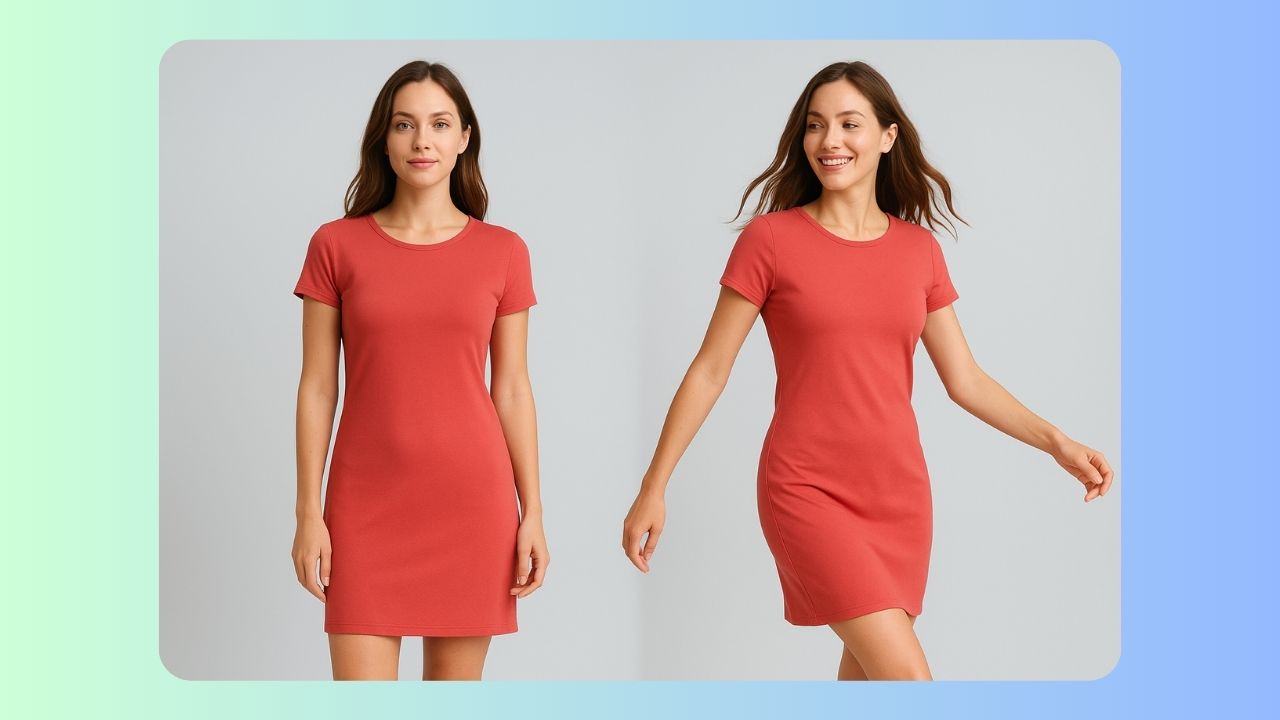
LISEZ-LEThis guide explains how to convert static fashion product images into short, realistic model videos using an n8n workflow and Google's Veo (VO) 3.1 model. You’ll learn the architecture, node-by-node implementation, tips for production, and expected costs so you can create looping, on-site product animations that boost engagement and conversions.
How the system works — at a glance
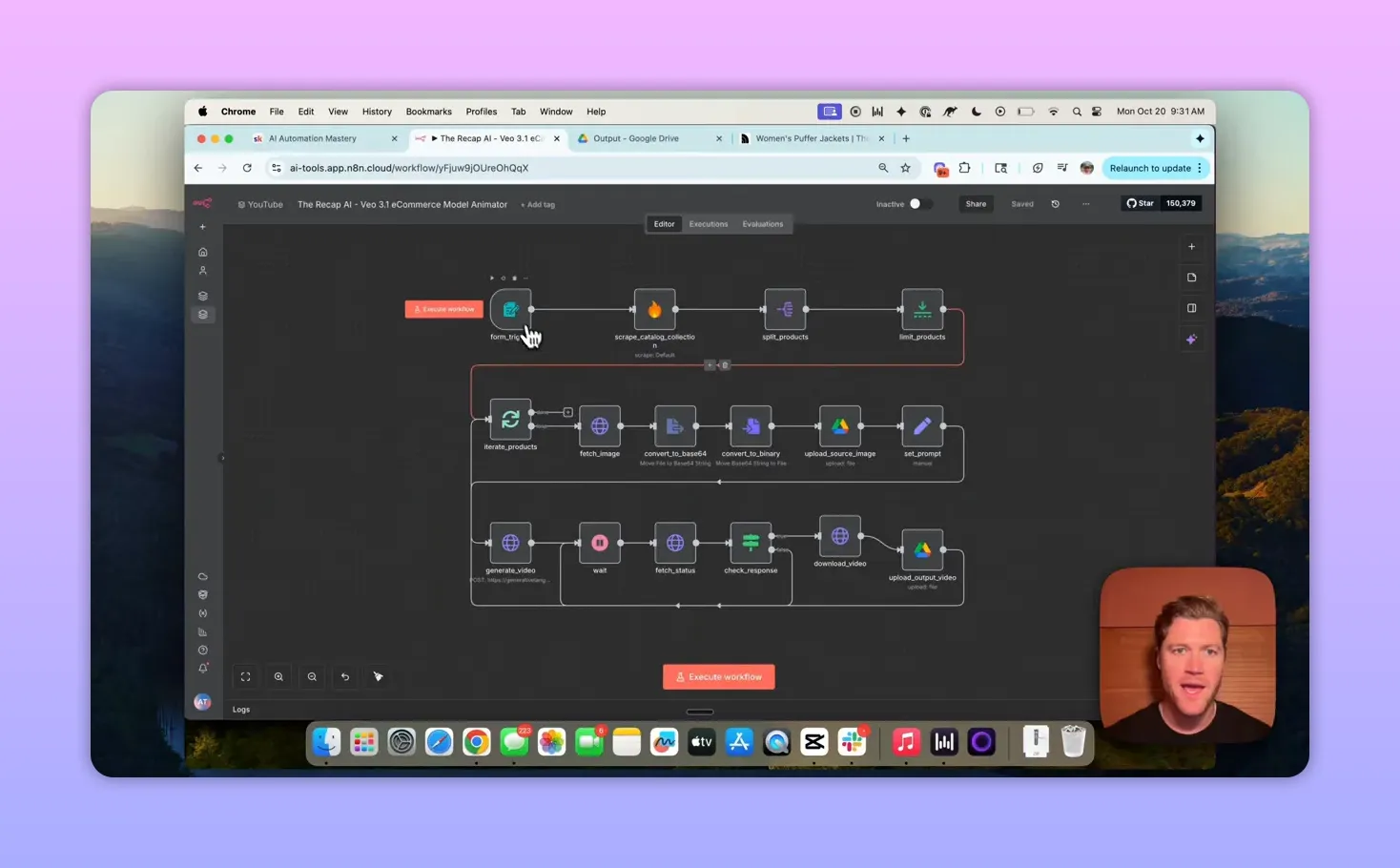
The end-to-end flow is straightforward:
- Accept a product collection URL (or pull product data from a brand CMS/Shopify).
- Scrape product titles and image URLs (Firecrawl).
- Download each image, convert to base64, and upload a copy to Google Drive.
- Send the image as both the first and last frame to GeminI’s VO3.1 with a written prompt.
- Poll the VO3.1 operation until the generated video is ready, download it, and save it to Drive.
- Repeat for each product image in the collection.
System components
- n8n: Orchestrates the workflow (form trigger, nodes, looping).
- Firecrawl: Scrapes product lists and image URLs from collection pages.
- Google Gemini (Veo/VO3.1): Generates the video using reference images and a text prompt.
- Google Drive: Stores source images and final videos.
Node-by-node build (practical guide)
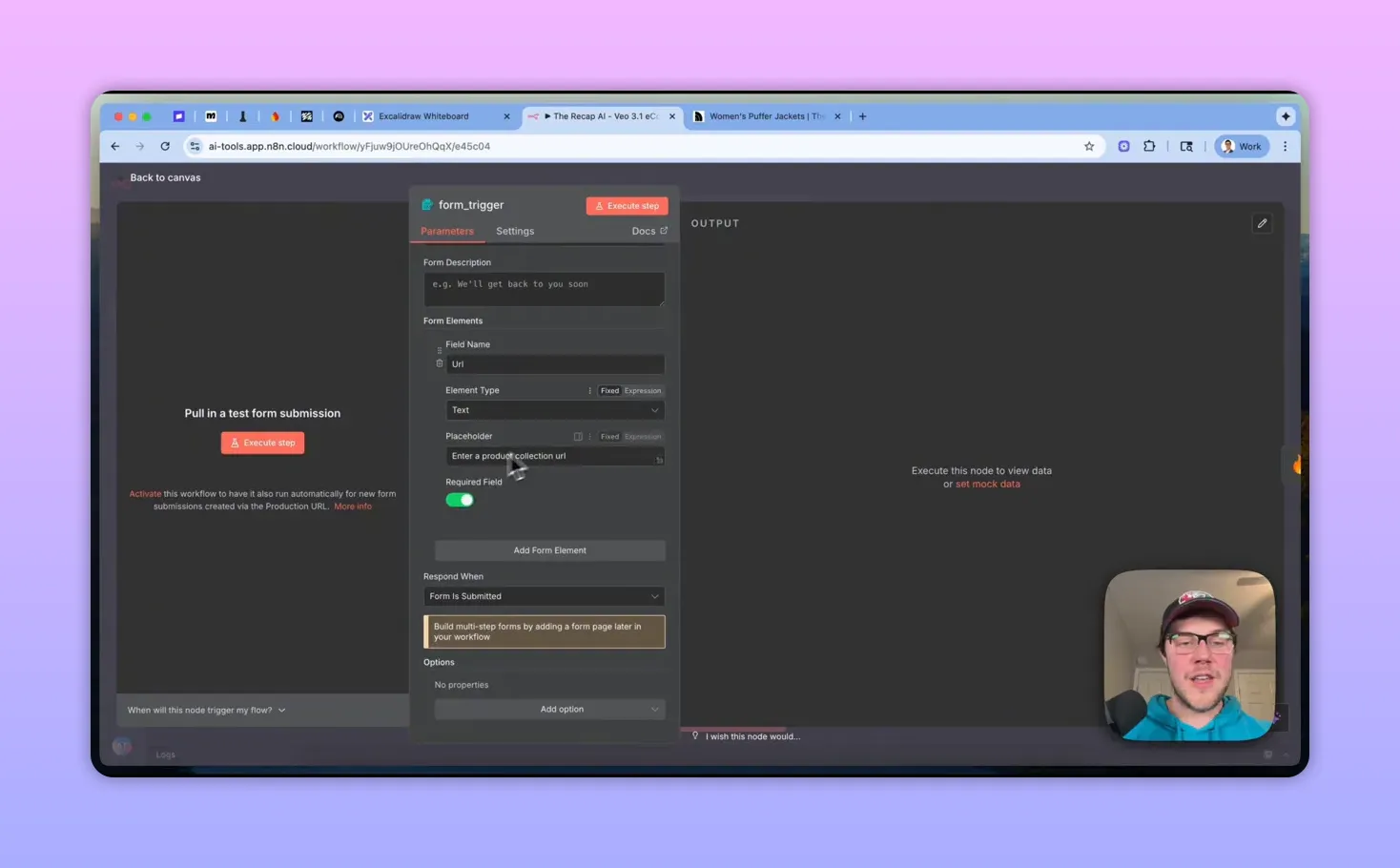
1. Trigger & input
Start with a simple form trigger in n8n that accepts a single required field: "URL" (the product collection page). In production, swap the public-URL trigger for a direct CMS or Shopify API integration to avoid scraping public sites without permission.
2. Scrape the collection (Firecrawl)
Use the Firecrawl community node to scrape the collection page and return structured data: an array of products with title and the main image URL. Enable community nodes in n8n if required.
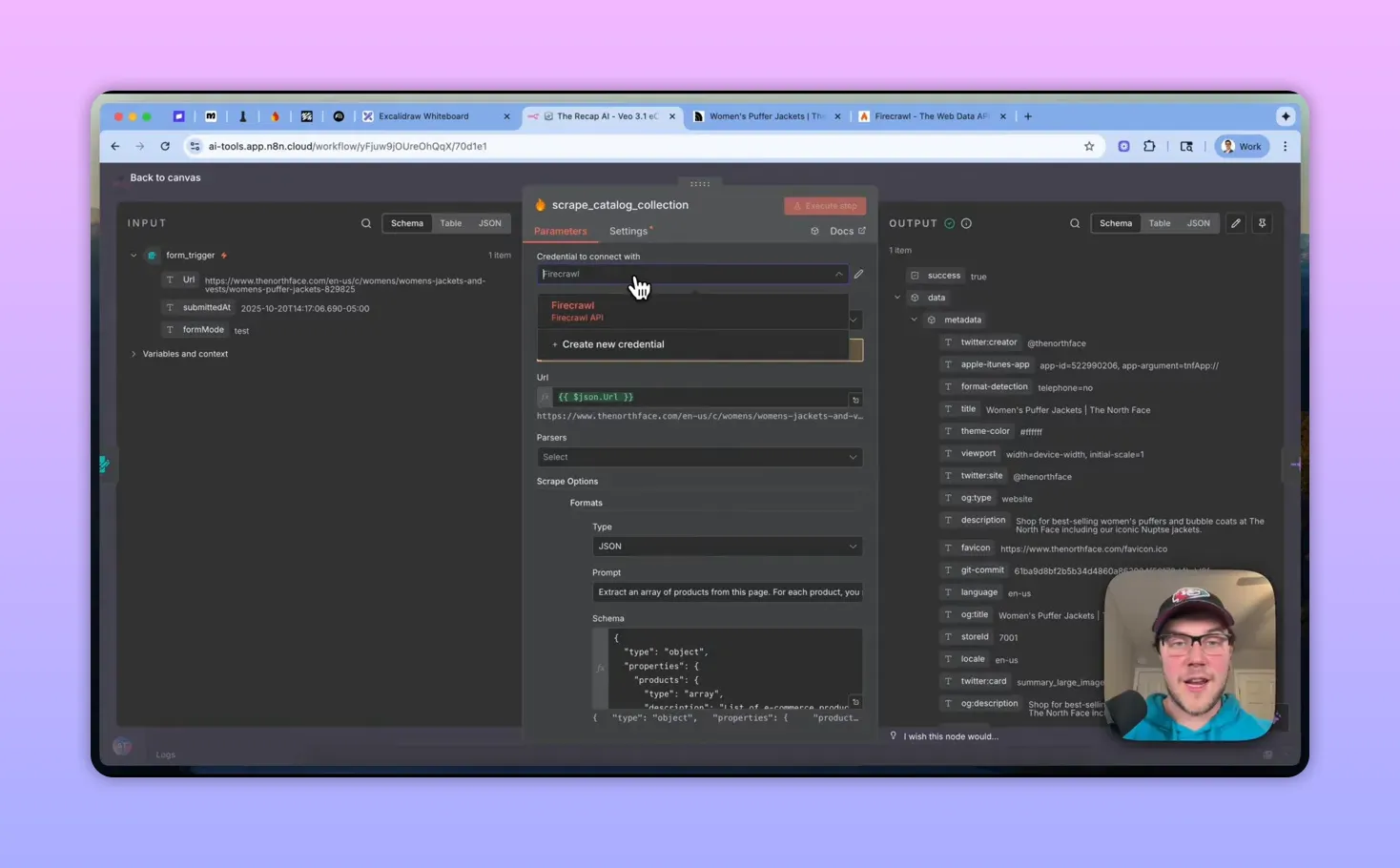
Key Firecrawl settings:
- Operation: scrape a URL and get its content.
- Format: JSON with a custom schema (products array, title, image URL).
- Prompt guidance: ask Firecrawl to extract the full image URL as it appears in the HTML (include query params and CDN paths).
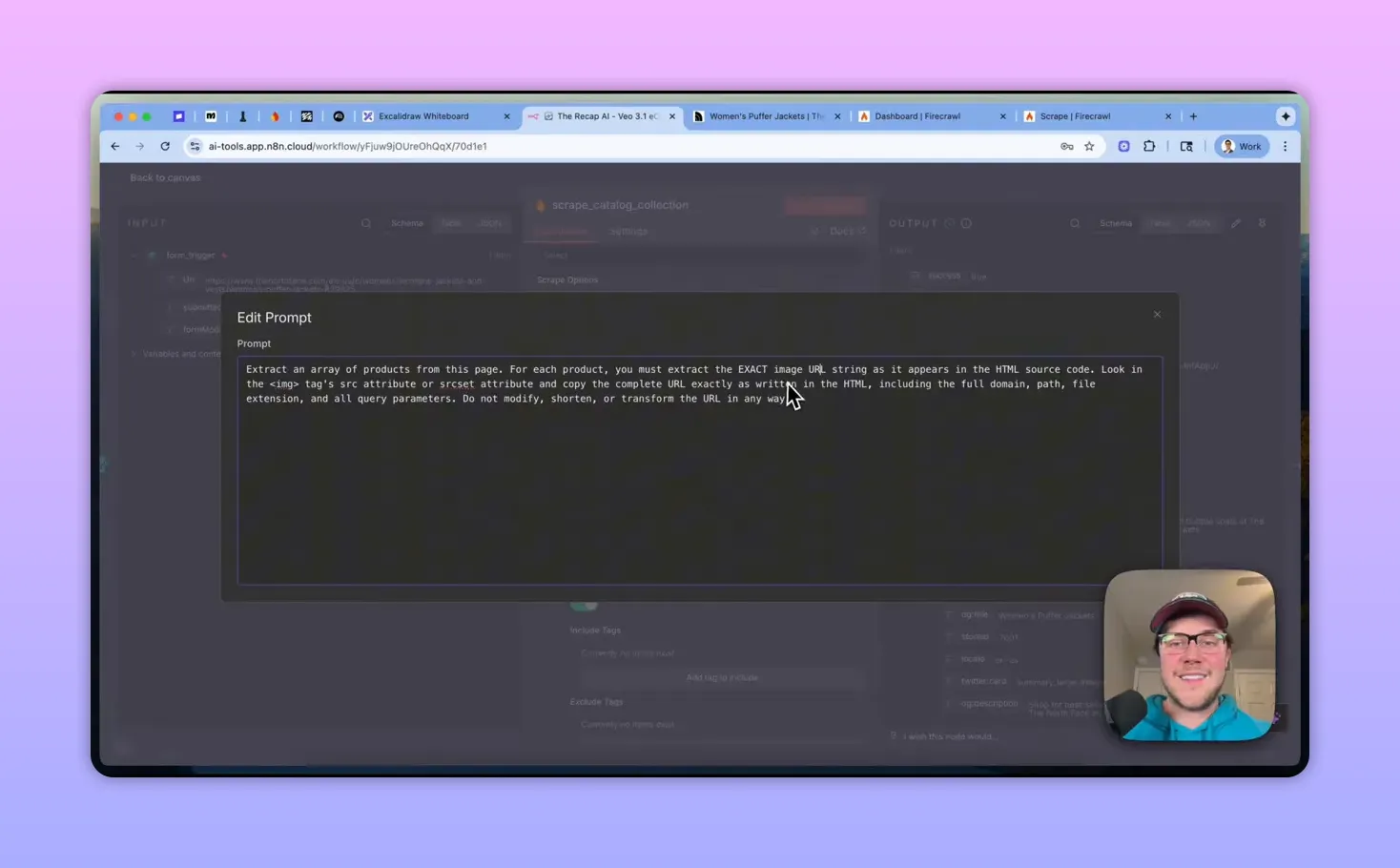
3. Inspect the response and split items
After Firecrawl returns an array, use a Split node to turn the array into individual items. For demos you may apply a Limit node (e.g., 3 items) but remove that in production to process the whole catalog.
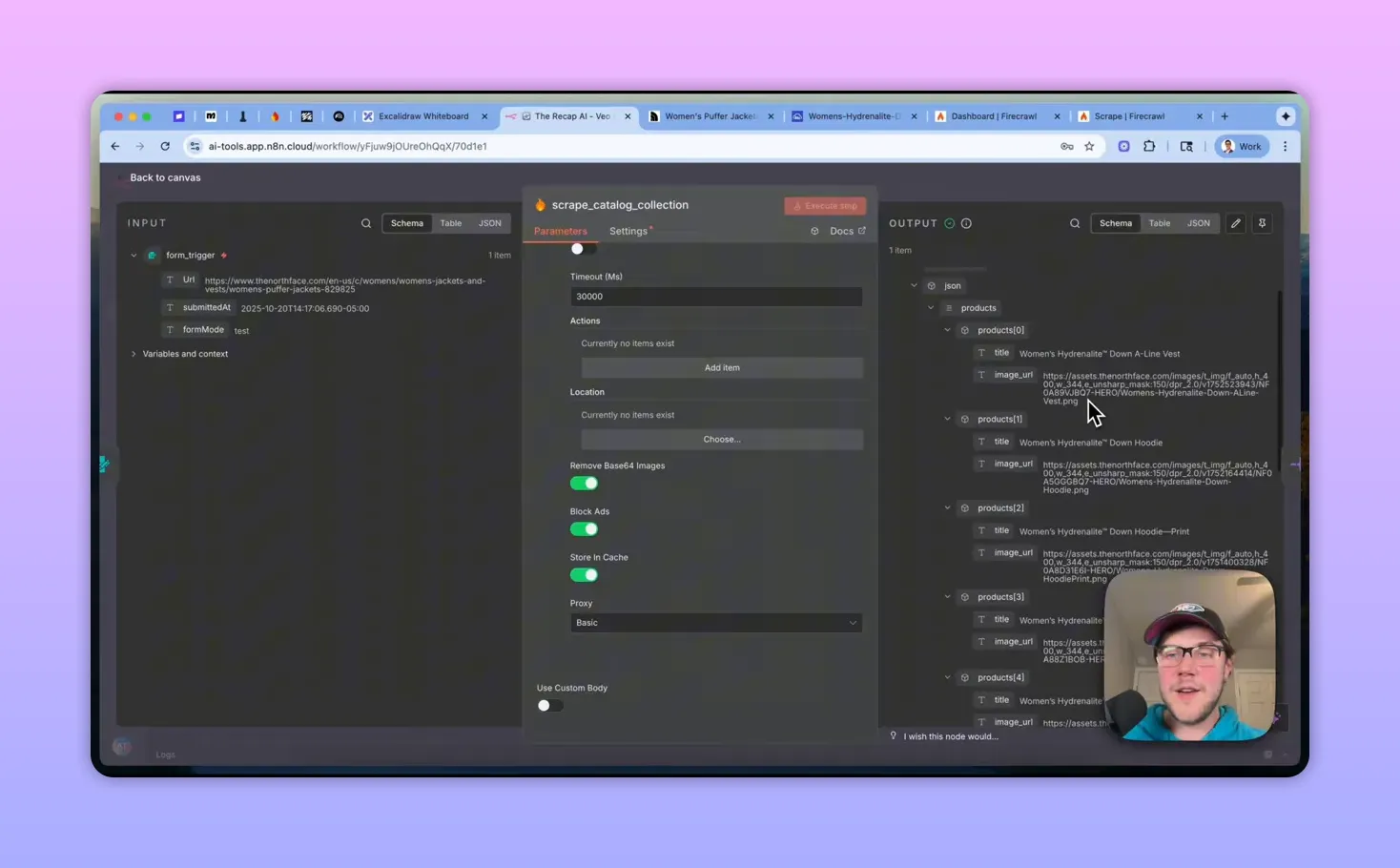
4. Download image and convert to base64
For each item inside a loop (batch size = 1 recommended), perform an HTTP GET on the scraped image URL to download the binary. Convert the binary to base64 — VO3.1 requires image bytes encoded as base64.

5. Save the source image to Google Drive
Convert the base64 string back to binary if you want a stored copy of the source image. Upload it to a Drive folder (use run index to name files like source_image_1.jpg).
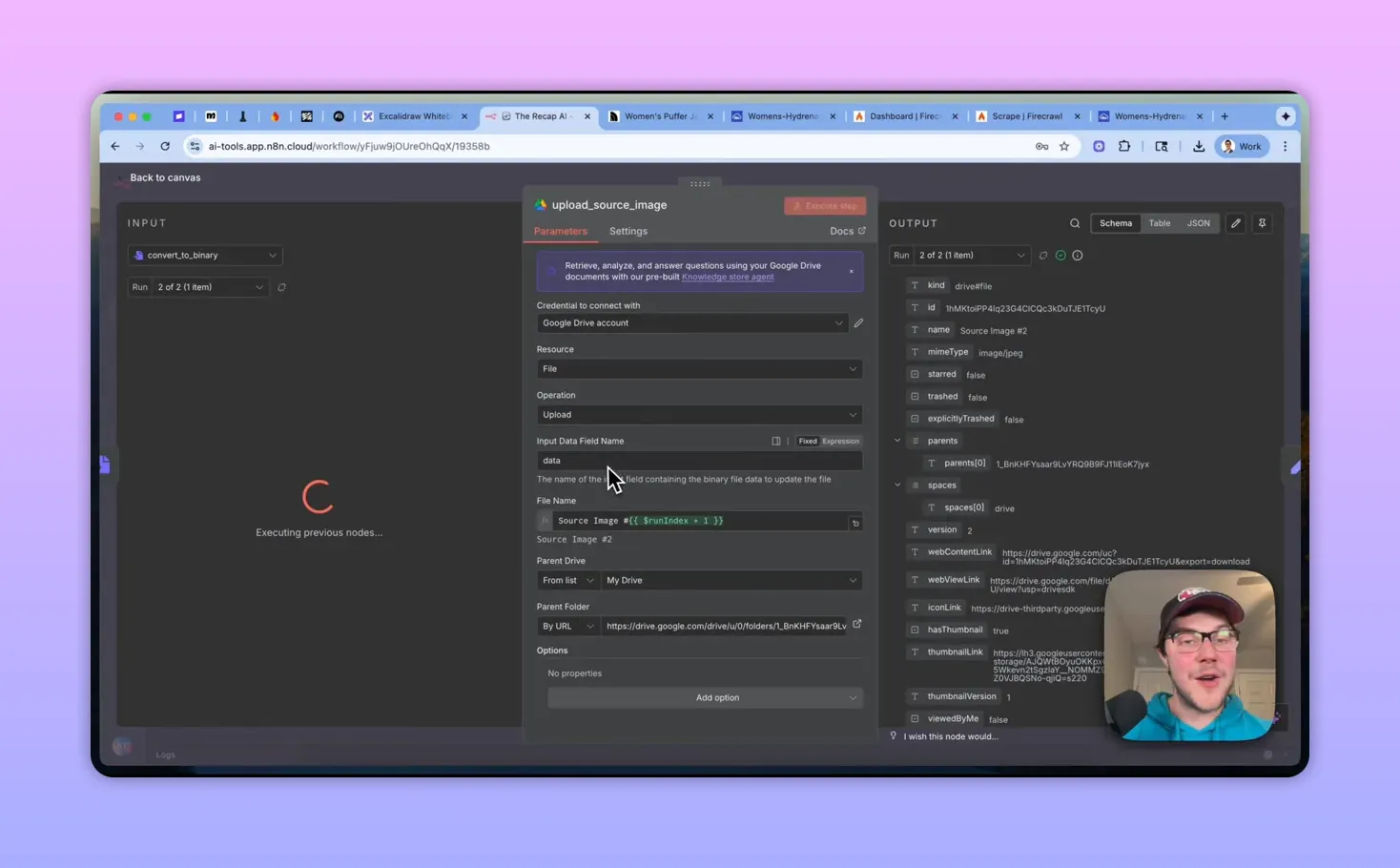
6. Build the Veo (VO3.1) prompt
Keep the prompt in a single Set node so you can tune it easily. Example prompt structure:
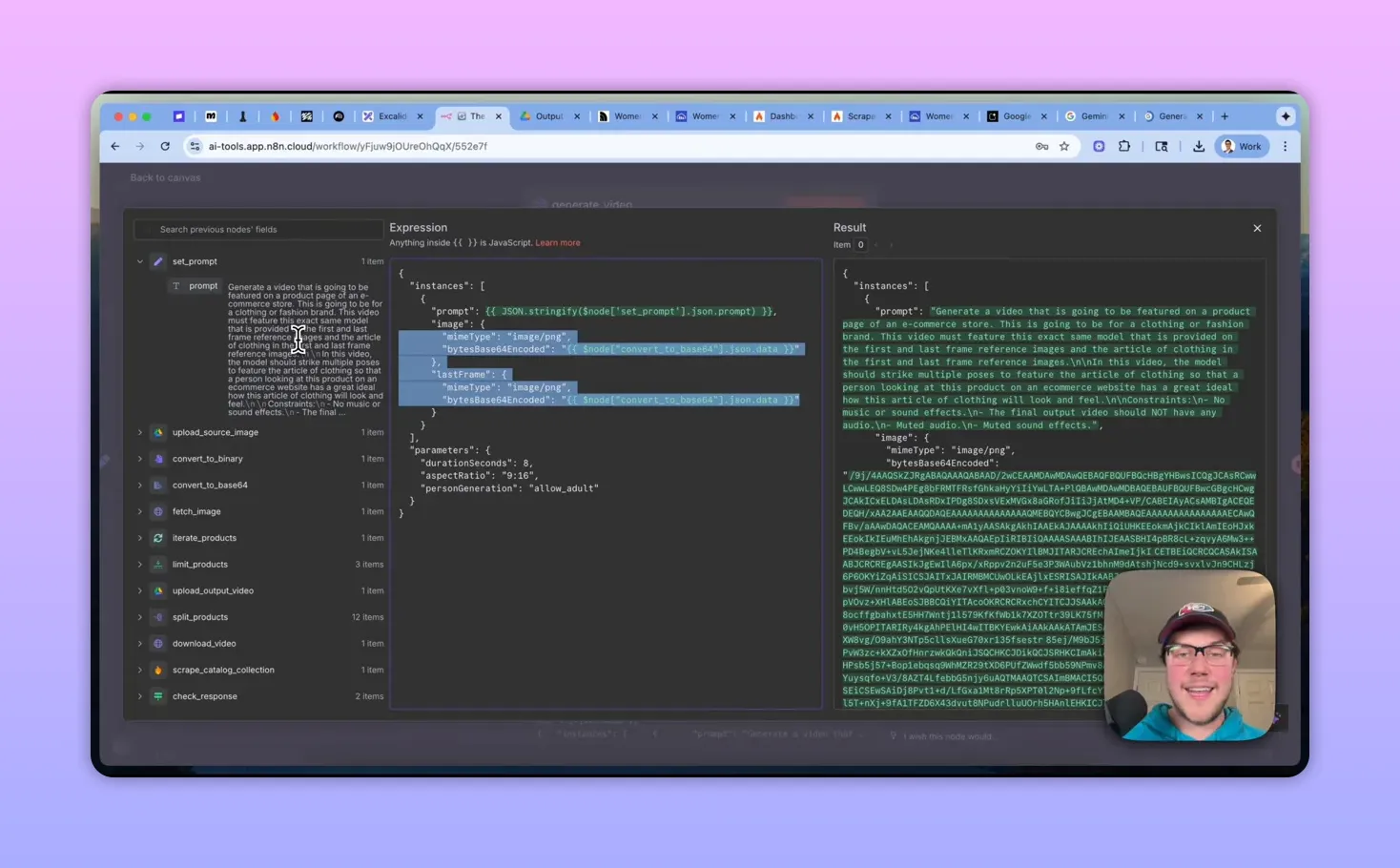
Generate a video that will be featured on a product page of an e-commerce store (clothing/fashion). The video must feature the exact same model provided in the first and last frame reference images. The model should strike multiple poses to showcase the article of clothing. Constraints: no music or sound effects; mute audio; end frame matches the start frame so the clip loops cleanly.

7. Authenticate to Gemini and send the request
VO3.1 is available under the Gemini API. Authenticate using an API key sent via the header X-Goog-Api-Key (set up a generic header credential in n8n).
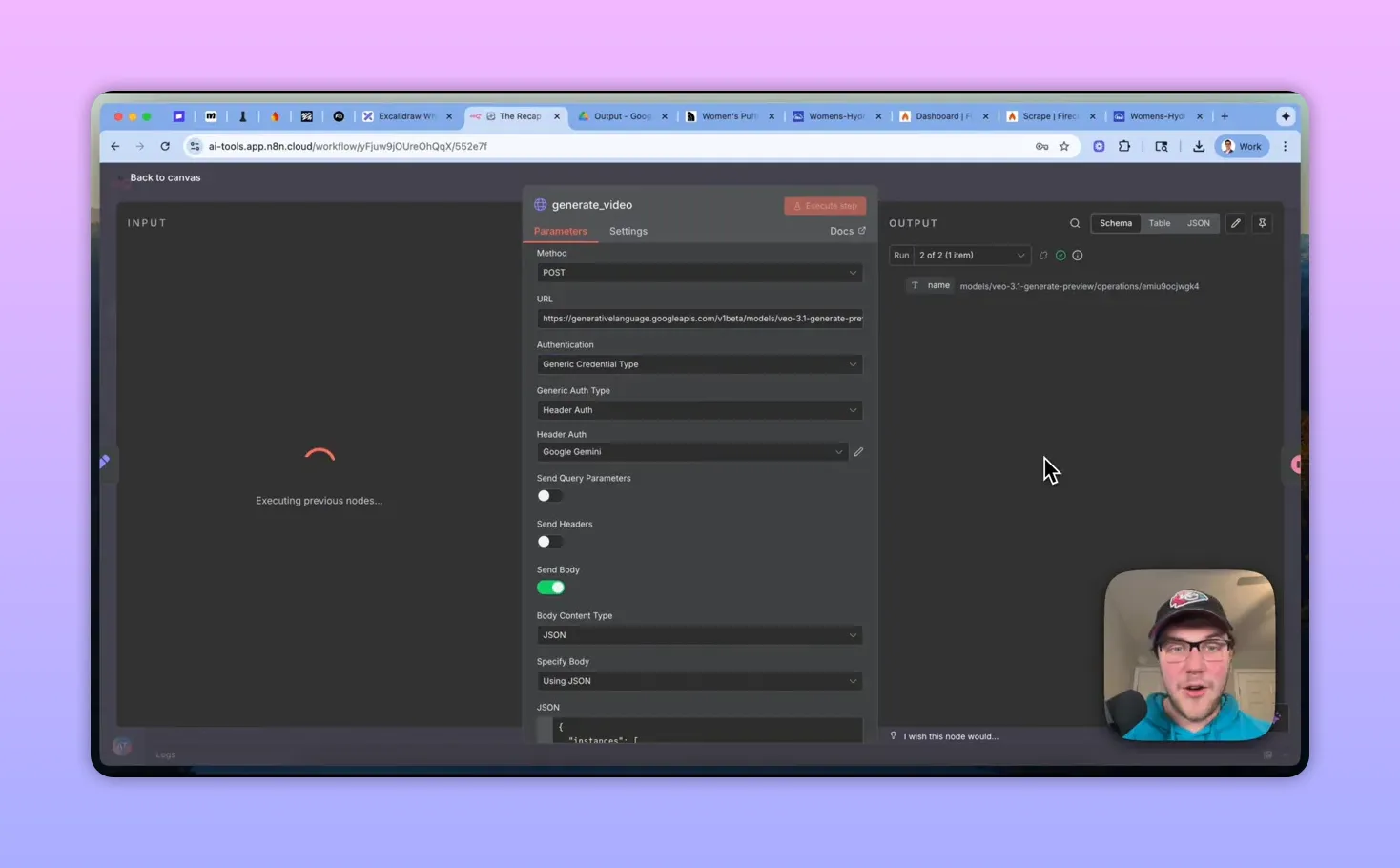
Request structure (high-level):
- Endpoint: generative-language.googleapis.com/v1beta/models/vo3.1:generatePreview:predictLongrunning
- Body split into parameters (durationSeconds, aspectRatio, personGeneration, etc.) and instances (prompt + image + lastFrame objects).
- Image and lastFrame are objects containing mimeType and bytes (base64 string).
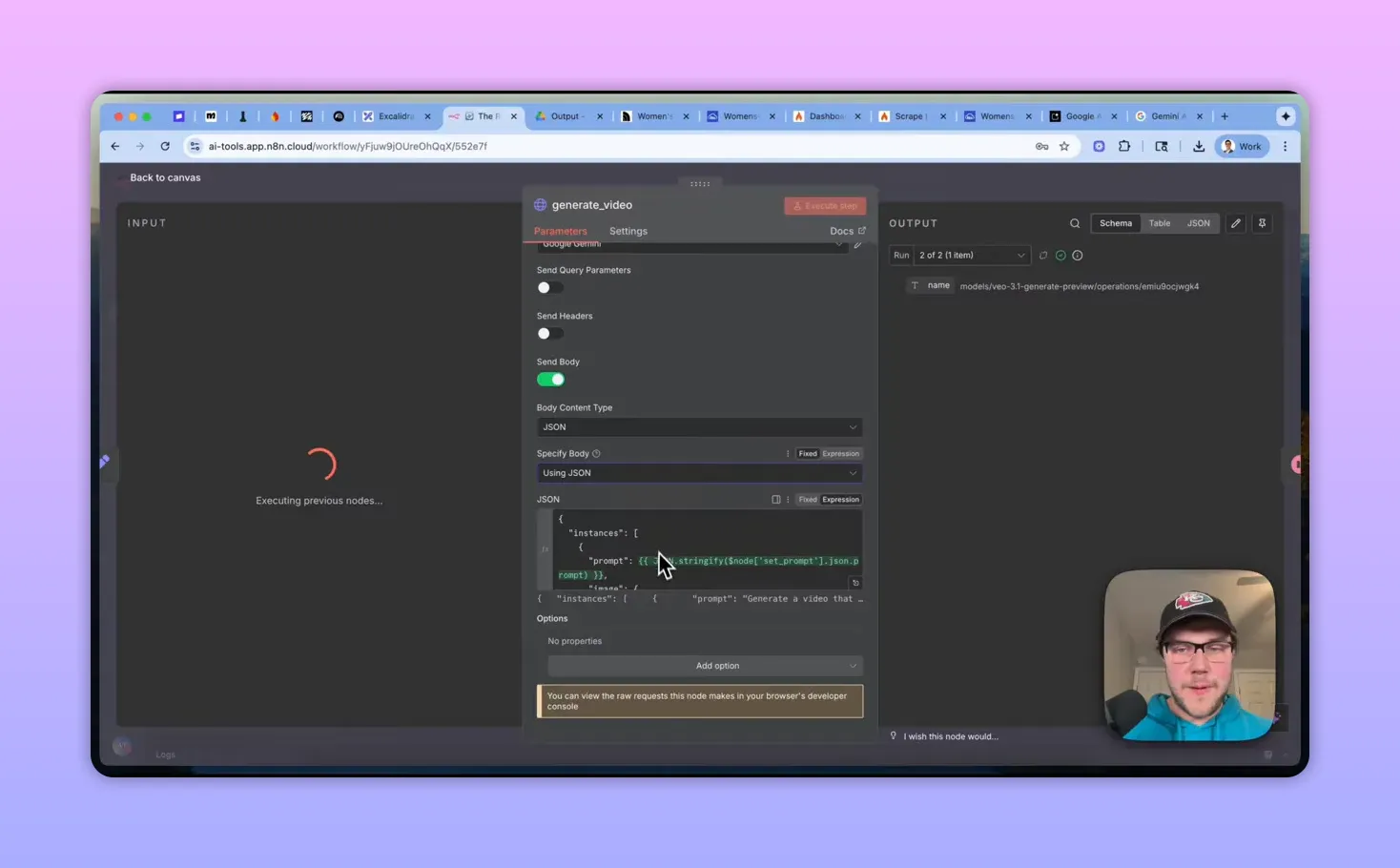
8. Use first-frame + last-frame for looping
VO3.1 supports passing the same image as both the first and last frame. That tells the model to generate motions that return to the starting pose, producing a smooth loop ideal for product previews.
9. Poll the operation, download the video, and store it
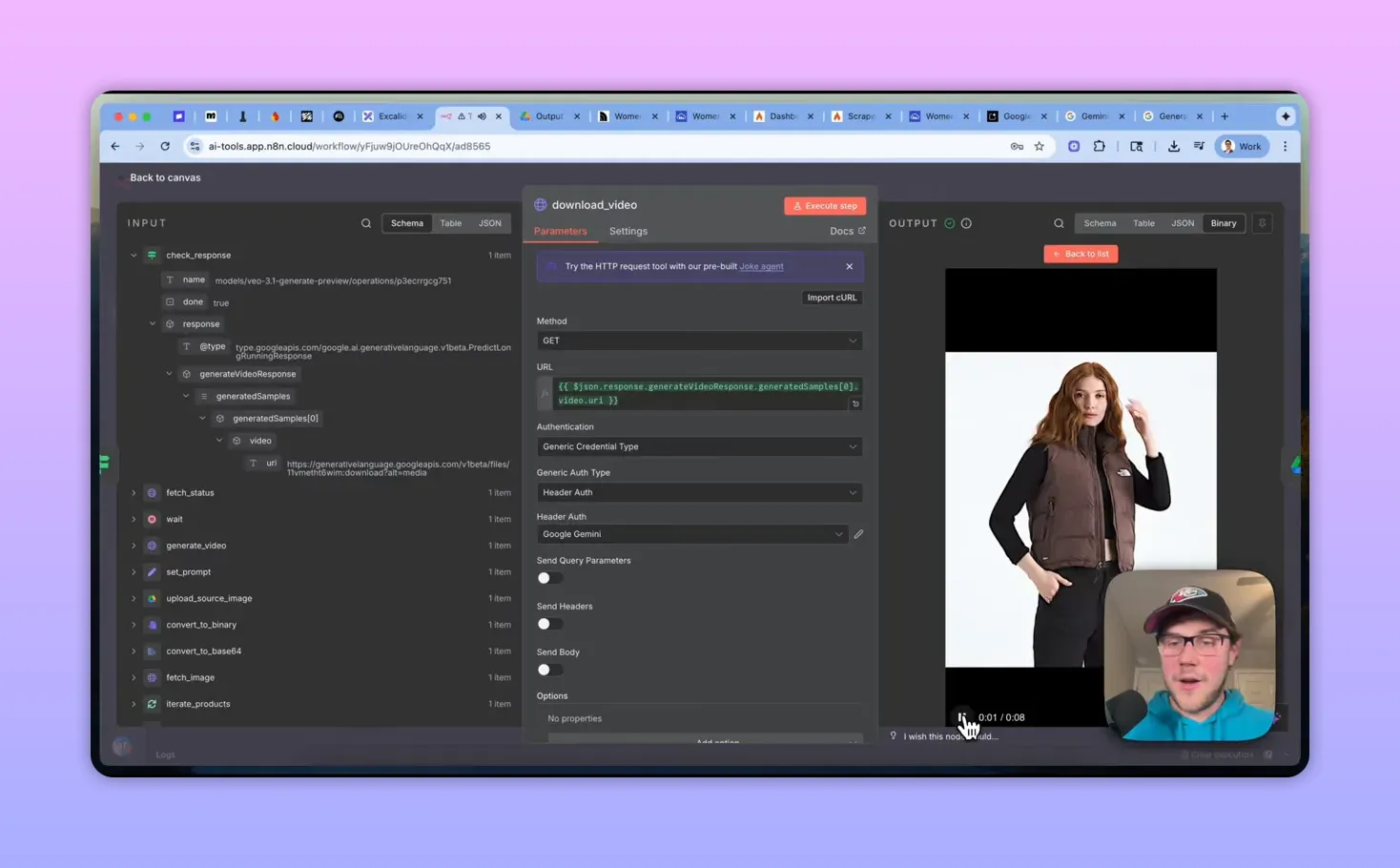
Video generation is asynchronous. The initial response returns an operations ID you should poll (GET /operations/{id}) until the generated samples appear. When ready, download the video binary and upload it to Google Drive (name files like output_video_1.mp4).
Production considerations & tips
- Don’t scrape unless authorized: For client work, connect directly to their CMS or Shopify API to fetch product data and images.
- Enable community nodes: If you use Firecrawl in n8n, make sure community nodes are enabled in n8n settings.
- Credentials: Firecrawl requires an API key; Gemini needs X-Goog-Api-Key header. Store credentials securely in n8n.
- Audio: VO3.1 can sometimes add music by default. Explicitly instruct “no audio” in the prompt and post-process if needed.
- Rate limits and batching: Use a loop-over-batches node with batch size = 1 and add delays or retry handling if you expect throttling.
- Aspect ratio & duration: Typical parameters: vertical 9:16 for short-form, 8 seconds for a looping preview. Tune to your UI.
- Storage & naming: Keep a structured Drive folder per brand/collection and include product IDs or SKUs in filenames for traceability.
Cost and scaling
Generating short videos with VO3.1 via API is not free. As a rule of thumb, budget roughly $3 per successful 8-second video as a proxy (API compute + any overage/retries). That estimate excludes storage (Drive), scraping API calls, and orchestration overhead. To control costs:
- Run small sample batches first and validate visual quality before generating entire catalogs.
- Use a limit node during development to cap items.
- Monitor failed or partially completed operations to avoid wasted charge from retries.
Implementation checklist
- Create an n8n workflow with a URL input (or CMS connector).
- Configure Firecrawl credential and JSON schema for product title + image URL.
- Split the product array; set up batching and limits for safe testing.
- Download images, convert to base64, and upload source copies to Drive.
- Store and tune a prompt; call Gemini VO3.1 with parameters and the image as both first and last frames.
- Poll the returned operation for completion, then download and save the video.
- Remove dev limits and scale with retries, logging, and cost monitoring.
Prompt example
Generate a product-page video for a clothing brand. Use the provided first-frame and last-frame images to keep the same model and outfit. The model should strike multiple poses and rotate slightly to showcase fit and fabric. Constraints: no audio, no text overlays, final frame must match the starting frame to support a seamless loop.
Next steps
If you want a jump-start, look for an n8n template that wires up Firecrawl → Gemini VO3.1 → Google Drive with the nodes and expressions described above. Start with a handful of SKUs, validate the output, then scale a catalog at a time while watching API usage and costs.
.png)